
There is a high chance you can increase your follower count by following others on Instagram. Unfortunately, while most people like to follow back, others don’t return the favor. If you’re worried that most accounts you follow on Instagram don’t follow back, you’ll probably be looking for how to see who doesn’t follow you back on Instagram.
When you follow people but they don’t return the favor, you might want to unfollow them. Only celebrities have the habit of not following every person that follows them. They only follow a handful of people.
Here, we explained how you can identify those you followed that failed to return the favor. You’ll learn how you can spot those accounts so you can take the necessary action. Keep digging deep to get more information on this topic.
How to See Who Doesn’t Follow You Back on Instagram
Are you ready for the account cleansing process? Are you ready to identify those you follow who aren’t following back, so that you can take the necessary action? Here, we’ll discuss the different methods you can deploy to find out those you follow who aren’t following back. Let’s get to business.
How can you identify those you follow but aren’t following you back?
You can use 3 different methods. Here, we’ll explain each method.
Method 1: The manual method to see those you follow who aren’t following back:
Almost all the methods you can use to see those you’re following who aren’t following back are time-consuming. However, this manual method is among the most time-consuming, if not the most time-consuming.
The only good thing about this method is that you don’t need to be tech-savvy. It’s a forward process anybody can try.
Here’s how the manual method works.
- Login to your Instagram (IG) account.
- Head to your profile and click on your profile image.
When you click on your profile picture, it will take you to a page where you’ll see your followers and following list.
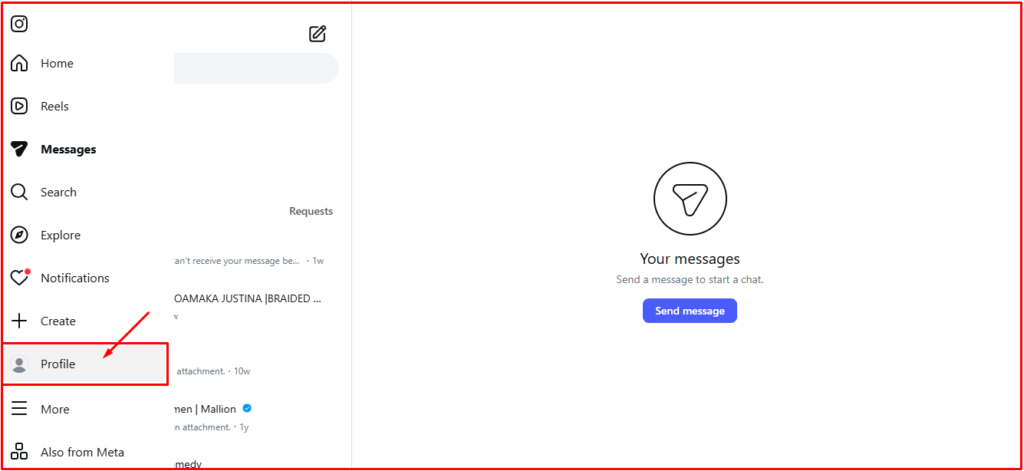
- Check your following list and choose the username of the account you’re following but aren’t following you back.
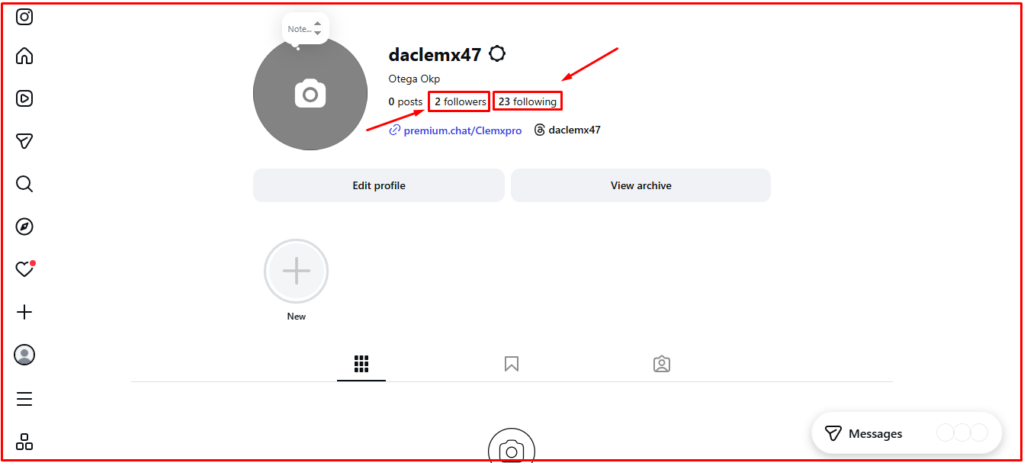
When you click on “Following” it will display a list of people you’re following. Check out the screenshot below:
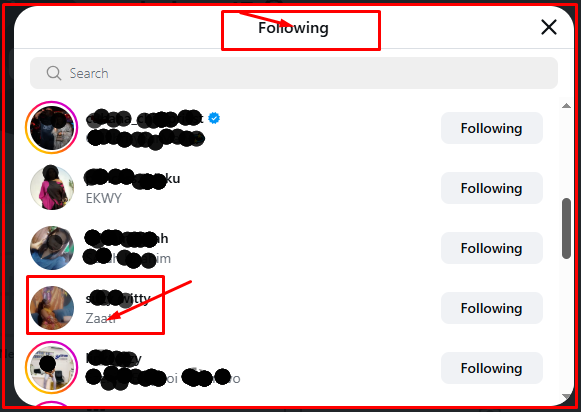
Both on the mobile and desktop version will display your following list in similar fashion. There’s no way you can tell if someone you’re following is following back from this list.
What you can do is take the username of the person you want to check if he or she is following you. Let’s use the username “@Suzy_witty” as an example.
Head over to your followers section and search for @Suzy_witty. If the account appears on your followers list, then it means the person is following back.
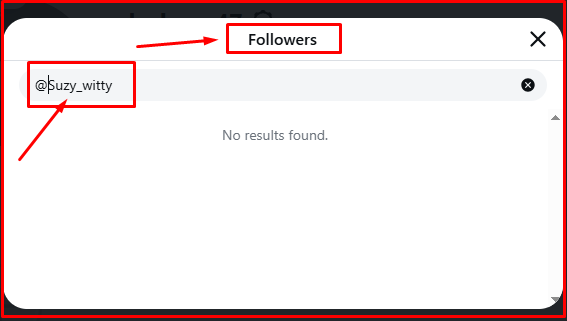
You can see that the search returned “no results found.” It means the person isn’t following back.
If the person was following back, their username would have appeared in the search result. That’s how straightforward this method is. The only downside is the time and energy it consumes. It is time-consuming and you’ll also require some high level of patience.
Method 2: Using third-party application to see who doesn’t follow back:
This method is the simplest but most expensive and risky. Apps used to track followers and following aren’t free. You would require a monthly subscription to keep the app working.
While the price of IG followers tracking apps varies, even the cheapest can become a financial burden. However, influencers and brands won’t mind paying for such a tool.
Aside from the financial implication, third-party apps are risky. Their mode of operation breaches Instagram’s terms of service, and could put your IG account at risk.
The third party applications require your login to track your followers. You need to grant them access; otherwise they can’t track your followers.
These third party apps gather user data, a move Instagram doesn’t agree with. They are risky because they cause:
Privacy breaches, which can force Instagram to restrict, suspend or close your account completely.
Are there safe third-party apps that can monitor Instagram followers?
No app will agree that they aren’t safe. Even the ones on App Store and Google Play Store can be unsafe when given access to your Instagram account.
Read reviews before you grant access to any third-party applications. If you have an IG account that isn’t always active or don’t have large followers, you can test the third-party tool there for a while.
If everything works fine, then you can connect the app to your main Instagram account to track your followers.
Method 3: Download Instagram account information:
While this method is safe, it’s a bit time-consuming and requires a level of patience only a handful of people might have. You can use this method if your IG account is important to you.
The process involves downloading your account information and doing a simple comparison. You compare your followers and following list, something third-party apps do for a fee.
This one is free. You download your Instagram account data for free, and analyze the results. You can also use a comparison app for this process.
Here is a breakdown of this process:
- Get your IG data. You have to download the data from your IG account.
- Pay attention to your following and followers list. Following includes the people you’re following, while followers involve the people who are following you.
- Import data into a straightforward analysis format.
- Use AI to identify the difference between both lists. You can use ChatGPT for this process. Analyze both lists to identify those you’re following that aren’t following back.
- Take action. The action can be to ignore or start unfollowing those that aren’t following back.
Pro Tip: After downloading your Instagram data, check the file thoroughly. Ensure the names are in consistent format. Another move you need to make is to delete irrelevant fields to make comparison straightforward.
Once you have your data ready, you can use the below prompt to instruct ChatGPT to compare
“The attached file has two lists: ‘followers and following.’ Compare both lists and mention the usernames that appear in the ‘following’ who are not in the ‘followers’ section.”
With this prompt, ChatGPT will produce a list of non-followers who are in the following section.
Once ChatGPT is done, double check a couple of usernames to know if the output is accurate.
How to Unfollow People in Following List Who Aren’t Followers
When people feel you followed them because they are viewing themselves as celebrities or because of their content, they don’t follow back. It hurts when you follow people and they don’t follow back.
If you discover that some IG accounts you follow don’t follow back, you can choose to unfollow them. However, don’t mass unfollow. The same thing goes for likes, shares, and other activities on Instagram.
Instagram can restrict your account if you mass-unfollow; that is unfollowing around 200 to 300 IG accounts immediately. We’ll recommend unfollowing around 30 – 50 persons within 24 hours. Avoid the urge to unfollow 200+ people within 24 hours. It could put your account in danger of getting restricted.
Here is how to unfollow people you’re following who have reciprocated the favor:
- Login to your Instagram account:
- Click on your profile picture
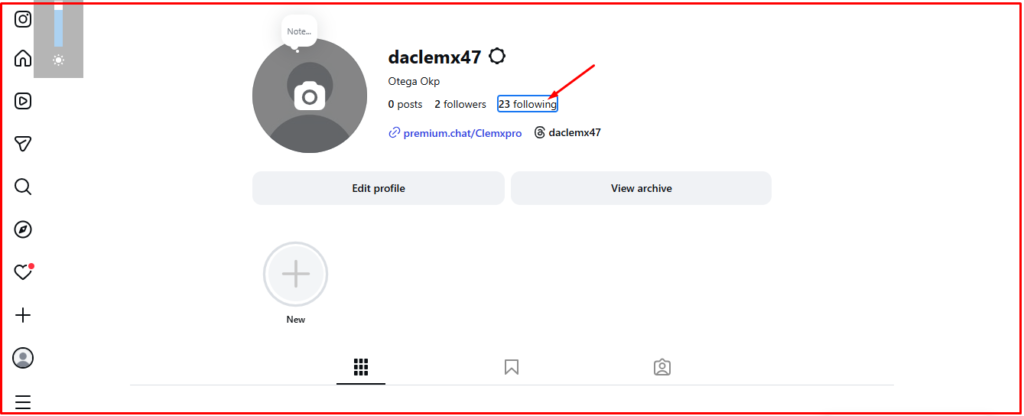
- Click on “following” to see the people you’re following.
- Select the account you want to unfollow and click on “Following” next to the account.
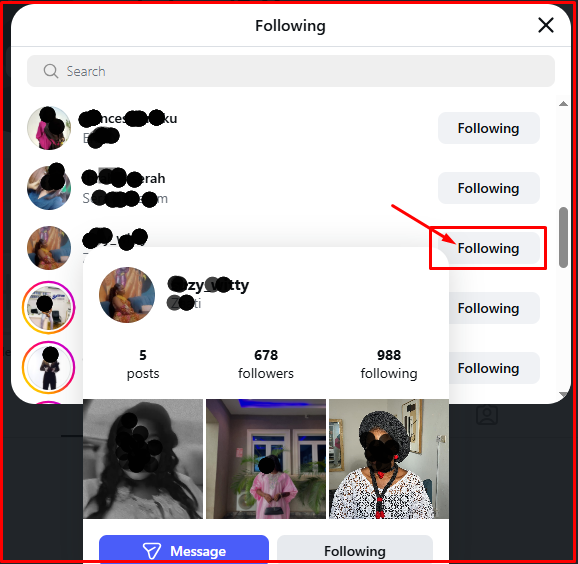
Once you click on “following” the page below will appear.
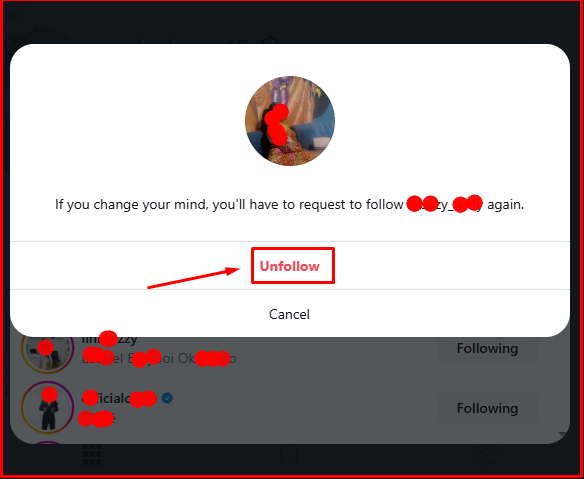
Click on “unfollow” to unfollow the IG account. Now check the outcome below:
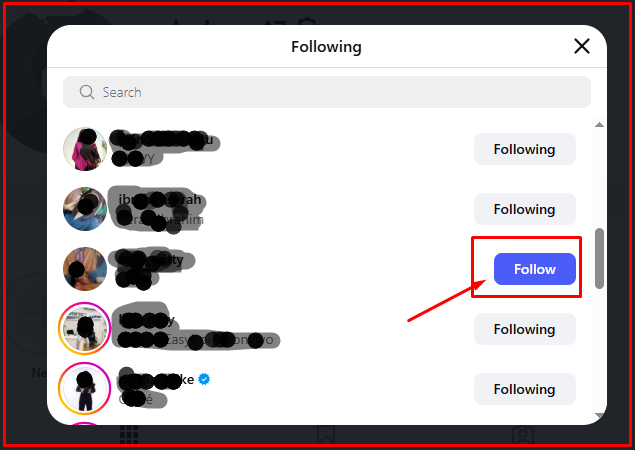
You are no longer following the person. If you want to reconsider and start following them, click on “follow.” However, if the person’s account is set to private, they would need to accept your follow request.
Conclusion
We have discussed how to see who doesn’t follow you even though you’re following them. Most people behave that way. You follow them but they don’t follow back. They do this because they don’t want their following count to be higher than their followers count.
You can discover the people you follow who aren’t following you in three ways. You can do so manually by using their username to search your followers list. The aim is to see if they will appear in your followers list. If they do, that means they are following back. If they don’t, it means they aren’t following you.
You can also identify the people who aren’t following you despite following them via a third party app. Another way to find out is by downloading your Instagram data. Download the data and compare your followers and following list to know the people in your following list who aren’t following back.